If we wanted someone to walk 5 steps toward us, it’s easier to say just that – rather than say:
- walk 1 step
- walk 1 step
- walk 1 step
- walk 1 step
- walk 1 step
In the same way, we can use a loop to have a computer repeat an instruction – or a block of multiple instructions – more than once.
Creating a loop
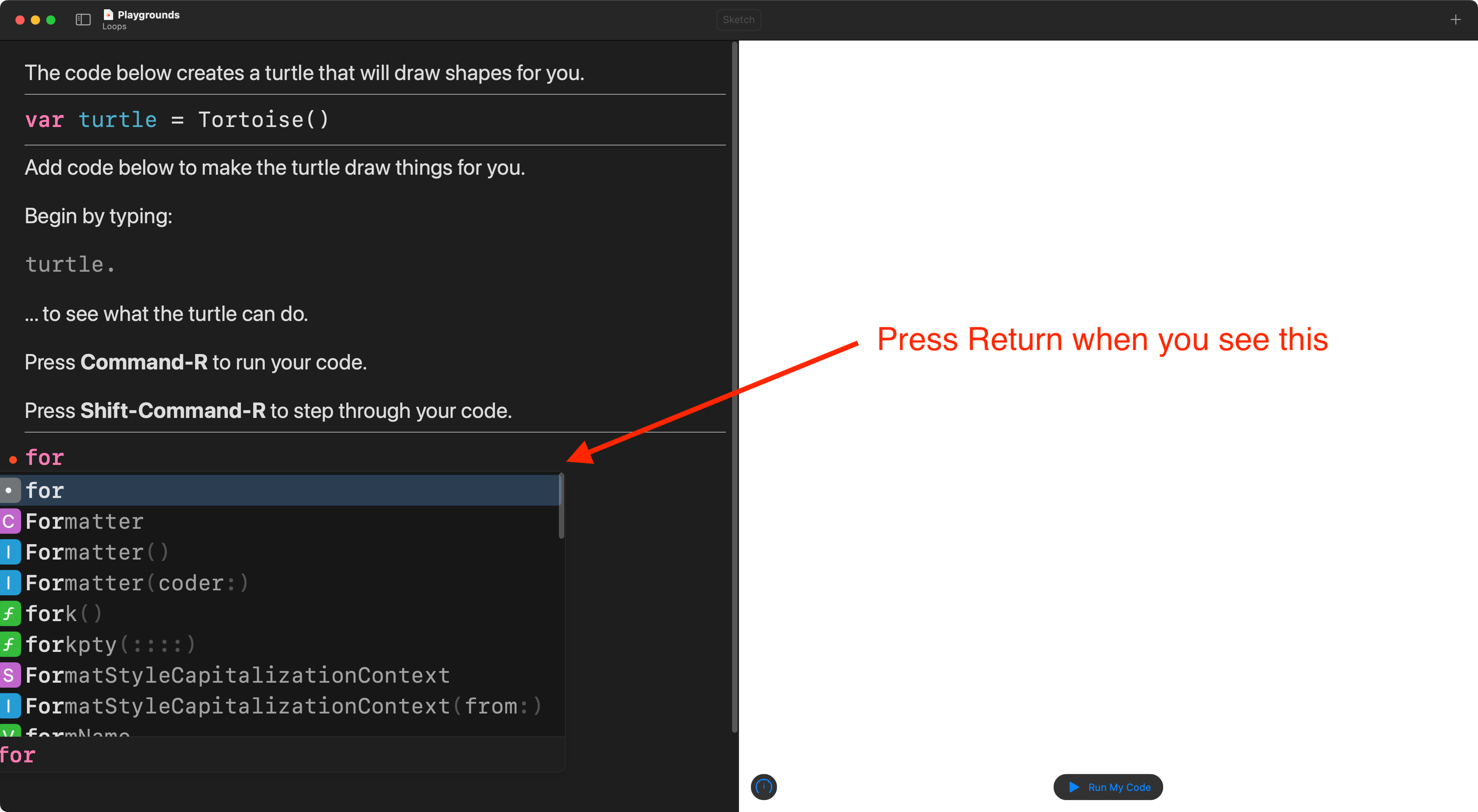
To make a loop in Swift Playgrounds, just begin typing the keyword for, and then press the Return key to use autocomplete:
You will then have a template for a loop that you can fill in:
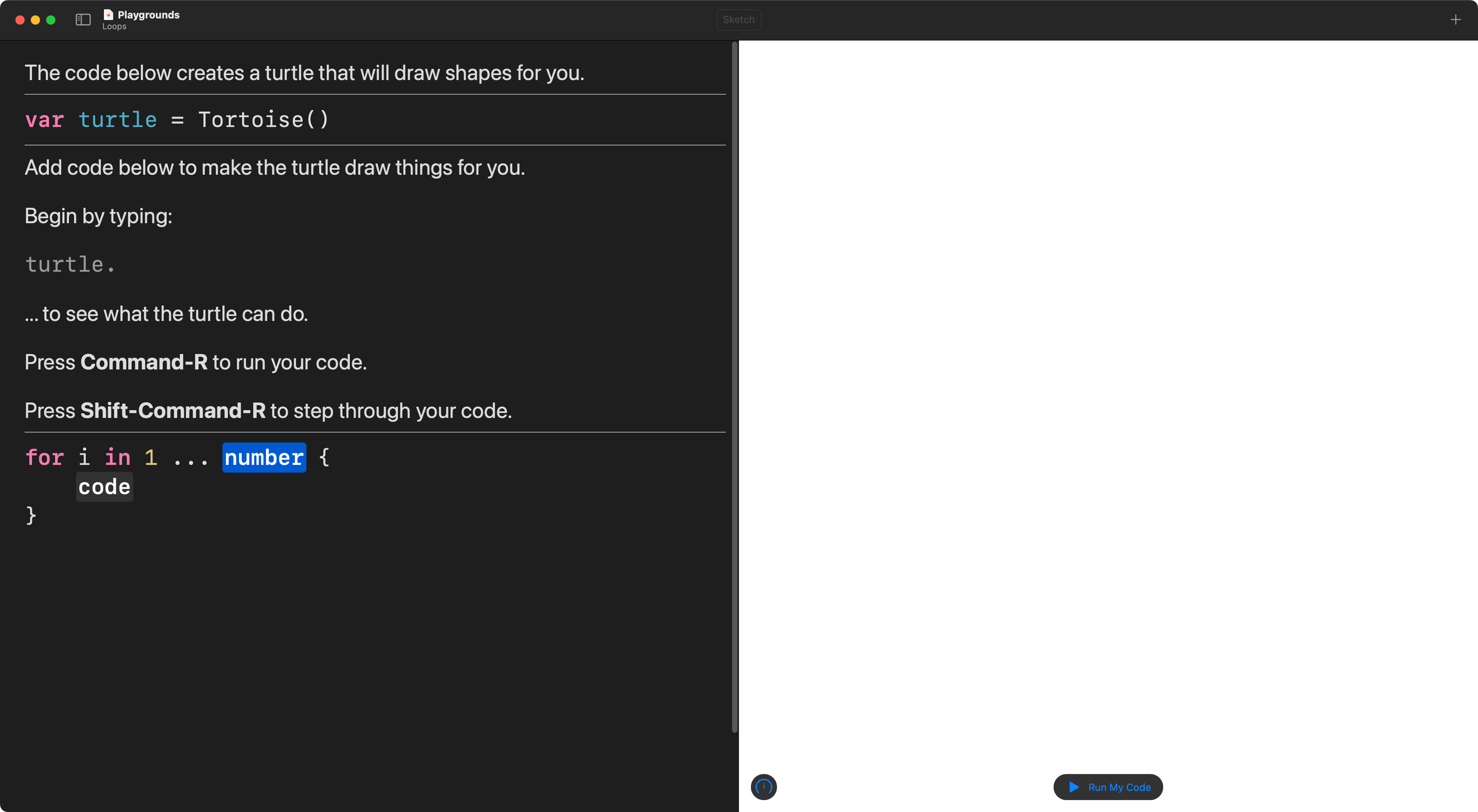
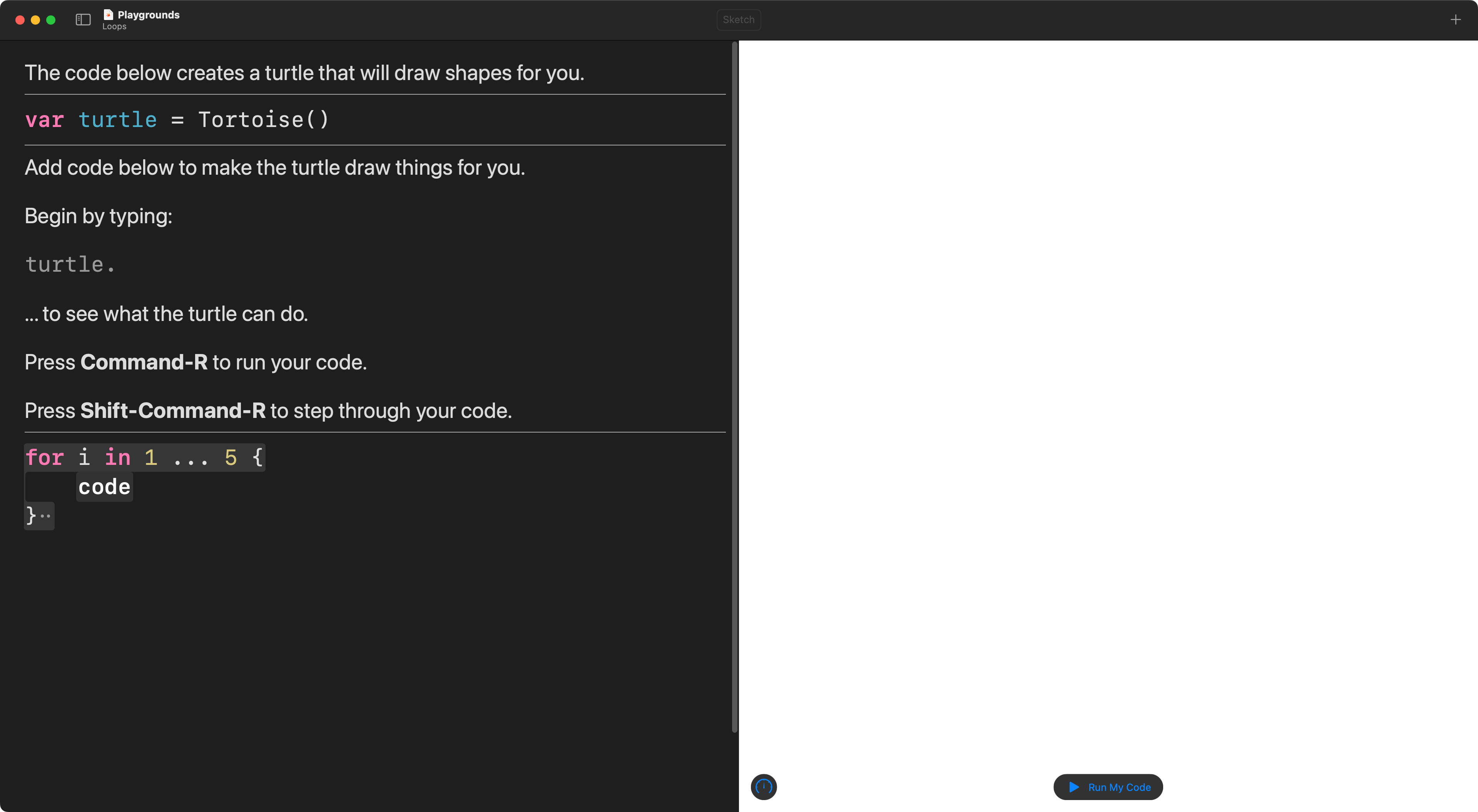
First, fill in the number.
That describes how many times you want the block of code to run.
Let’s choose 5:
Next, copy the code shown here below into the body of the loop:
turtle.penDown()
turtle.forward(distance: 50)
turtle.penUp()
turtle.forward(distance: 50)
… replacing the placeholder:
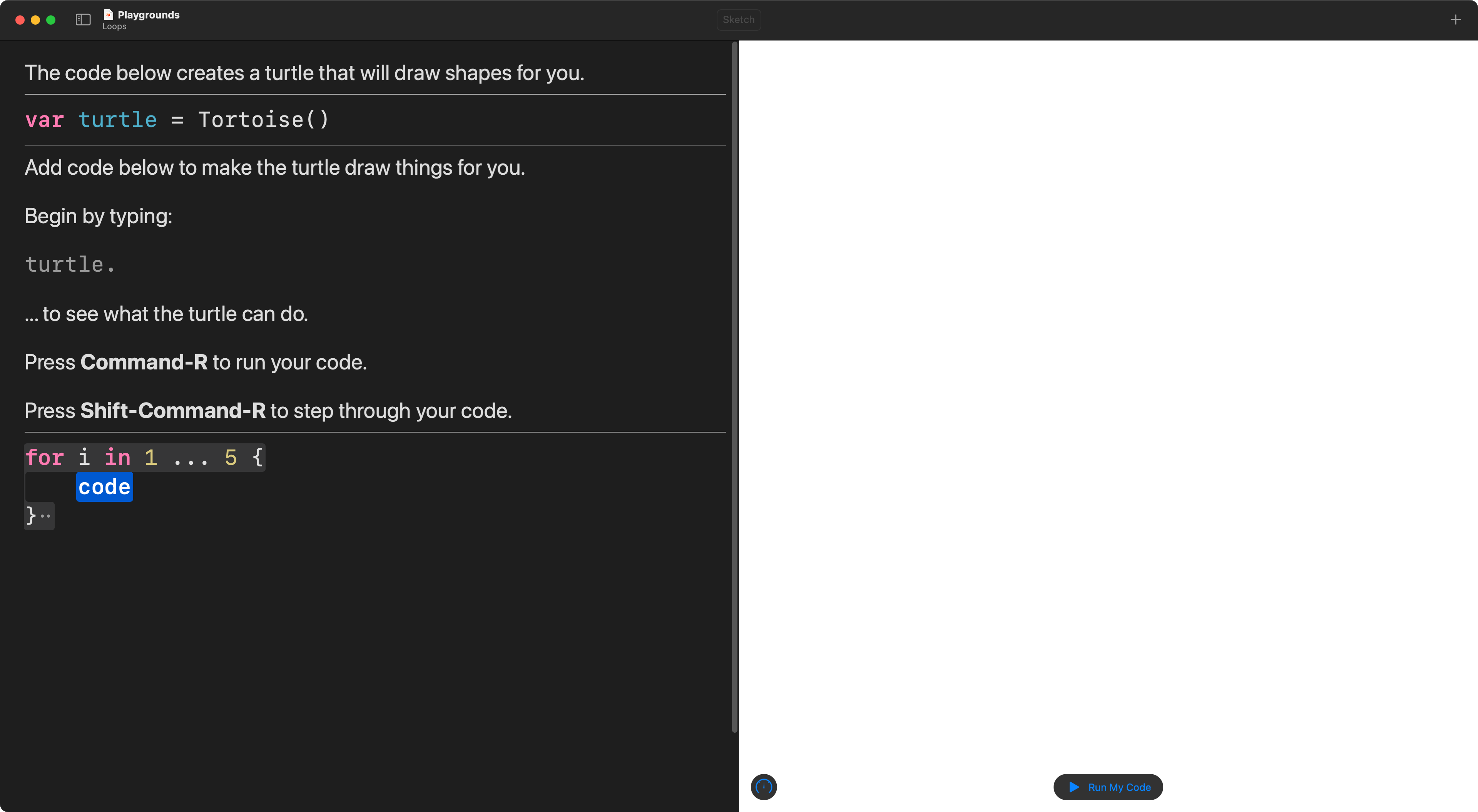
… with the code:
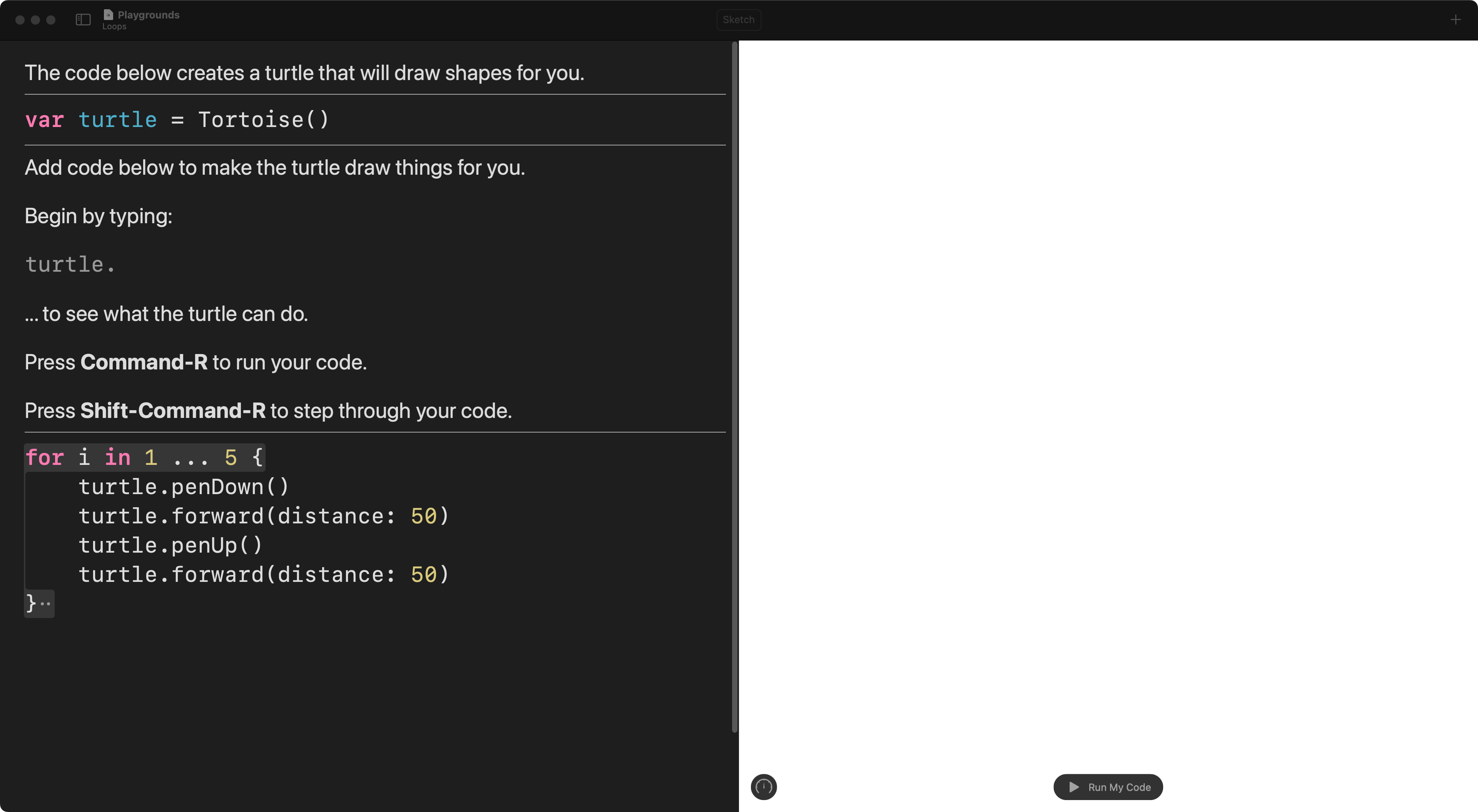
The opening { marks the start of the code block that will be repeated.
The closing } marks the end of the code block that will be repeated.
You can step through your code to see exactly how the loop repeats the block of instructions:
NOTE
Watch the video a second time. Notice how Playgrounds tells you how often a line of code has been run within a loop – 1x for once, 2x for twice, and so on.