NOTE
Although Mr. Gordon and Mr. Jones have extensive experience with personal computers, writing a summary of computer hardware components, along with photographs for a reference, is a fairly straightforward task well-suited to delegating to a large language model.
Mr. Gordon used the Claude Anthropic service to generate this summary, using the following prompt.
Image links were broken in the generated summary, so Mr. Gordon corrected the links to point to actual images that are publicly available. Anthropic also identified a monitor as an input device – it is an output device – Mr. Gordon corrected this as well.
Motherboard
 “XO Motherboard” by John A. Watlington is licensed under CC BY-SA 3.0.
The motherboard is like the central nervous system of a computer. It’s a large circuit board that connects all the other important hardware components, allowing them to communicate with each other. Think of it as a highway system that lets information and electrical signals travel between different parts of the computer. The motherboard contains critical connection points called slots and sockets where other components plug in, including the CPU, RAM, and expansion cards.
Central Processing Unit (CPU)
 “IT makes you think.” by Free the Image is licensed under CC BY 2.0.
The CPU, or central processing unit, is often called the “brain” of the computer. It performs most of the calculations and logical operations that make a computer work. Every time you open a program, play a game, or browse the internet, the CPU is working hard to process instructions and make things happen. Modern CPUs can have multiple “cores,” which are like individual processing units that allow the computer to do several tasks at the same time.
Graphics Processing Unit (GPU)
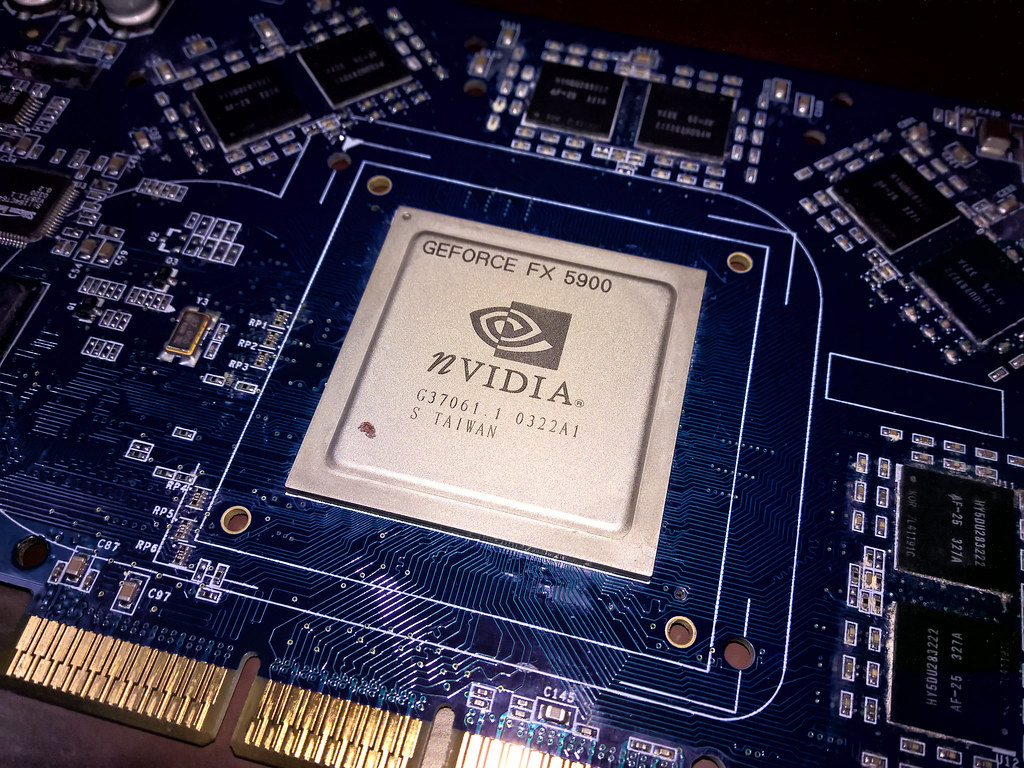 “nVidia NV35 GPU” by Diego3336 is licensed under CC BY 2.0.
The GPU, or graphics processing unit, is specialized hardware designed to handle visual information. While the CPU handles general computing tasks, the GPU is particularly good at rendering images, videos, and 3D graphics. This makes GPUs crucial for video editing, graphic design, gaming, and other visually intensive applications. Some computers have dedicated GPU cards that can be added to the motherboard, while others have integrated graphics built directly into the CPU.
Random Access Memory (RAM)
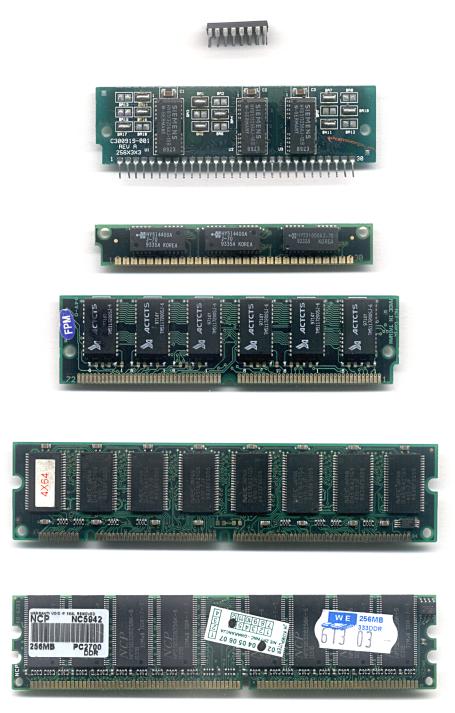
“RAM n” is licensed under CC BY-SA 3.0.
RAM, or random access memory, acts like the computer’s short-term memory. It temporarily stores information that the computer is actively using, allowing for quick access and faster performance. When you open a program or file, it gets loaded into RAM so the CPU can work with it quickly. More RAM allows a computer to handle more tasks simultaneously without slowing down. Think of RAM like a workspace desk - the larger the desk, the more papers (or computer tasks) you can have out at once.
Power Supply Unit (PSU)
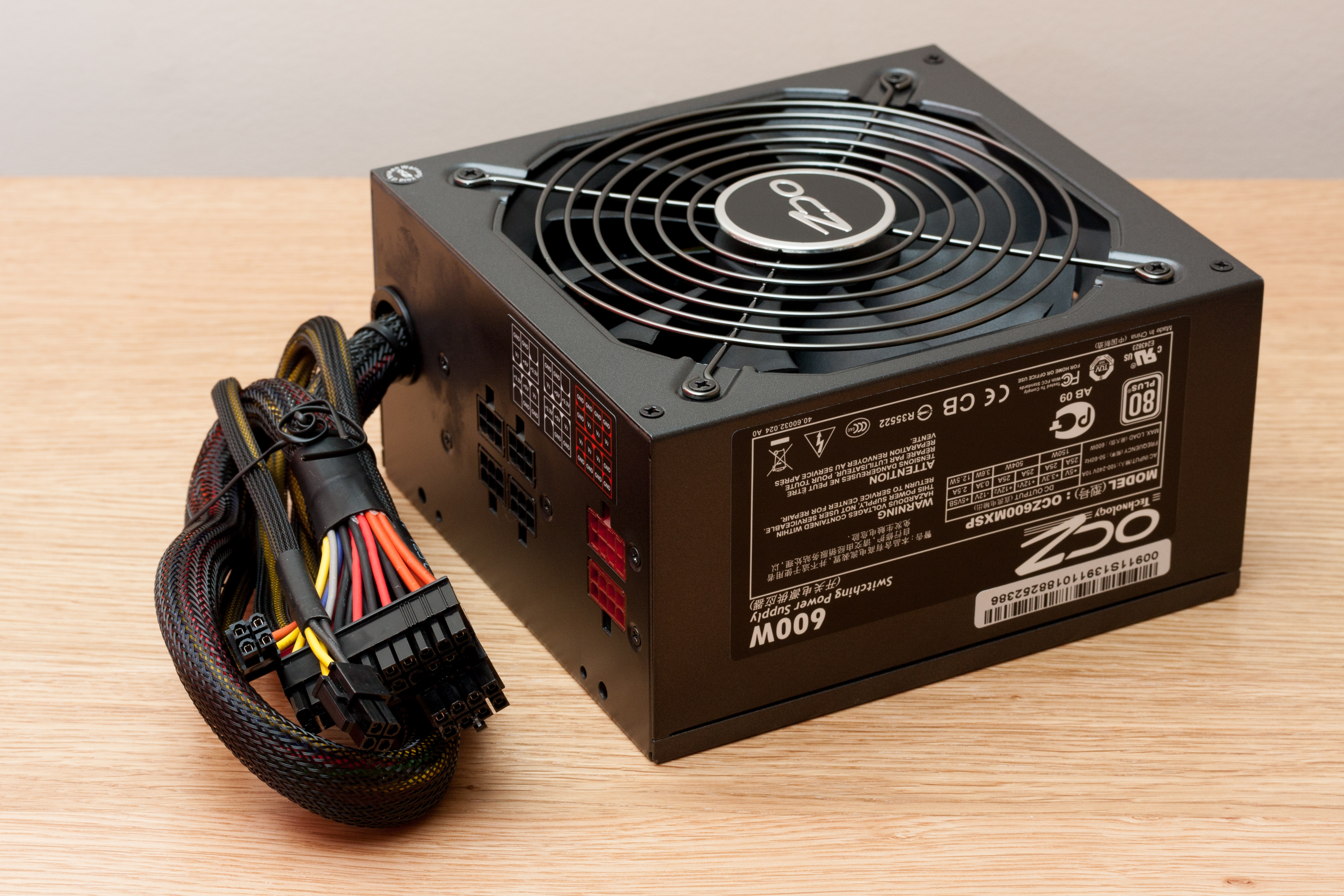 “OCZ 600W power supply unit” by Danrok is licensed under CC BY-SA 3.0.
The power supply unit (PSU) converts electricity from a wall outlet into the specific type of electrical power that computer components need. It distributes electricity to all the different parts of the computer, ensuring each component receives the right amount of power. PSUs come in different wattage ratings, and choosing the right one is important to make sure all computer components can run effectively and safely.
Network Interface Card (NIC)
 “File:3Com-Etherlink-Network-Interface-Card-05.jpg” by CEphoto, Uwe Aranas is licensed under CC BY-SA 3.0.
The network interface card (NIC) allows a computer to connect to networks, including the internet and local networks. It can connect through wired Ethernet cables or wireless Wi-Fi signals. Modern computers often have NICs built directly into the motherboard, but dedicated cards can be added for specialized networking needs.
Storage Devices
Hard Disk Drive (HDD)
 “Hard disk drive platter, Western Digital Caviar 250Gb WD2500AAKS” by Mk2010 is licensed under CC BY 4.0.
Hard disk drives (HDDs) are traditional storage devices that use magnetic storage to keep data permanently. They store all your files, programs, operating system, and other long-term information. HDDs are typically less expensive and offer large storage capacities, but they are slower and more fragile compared to newer storage technologies.
Solid State Drive (SSD)
 “File:Vertex 2 Solid State Drive by OCZ-top oblique PNr°0307.jpg” by D-Kuru is licensed under CC BY-SA 3.0.
 “Samsung MZ-V6P2T0 20170427” by Dmitry Nosachev is licensed under CC BY-SA 4.0.
Solid state drives (SSDs) are newer storage devices that use flash memory to store data. They are much faster than traditional HDDs, which means computers boot up and load programs more quickly. SSDs have no moving parts, making them more durable and less likely to be damaged by physical shock.
Optical Drive
 “Asus 24x DVD-RW Serial-ATA Internal OEM Optical Drive DRW-24B1ST (Black)” by osman.gucel is licensed under CC BY 2.0.
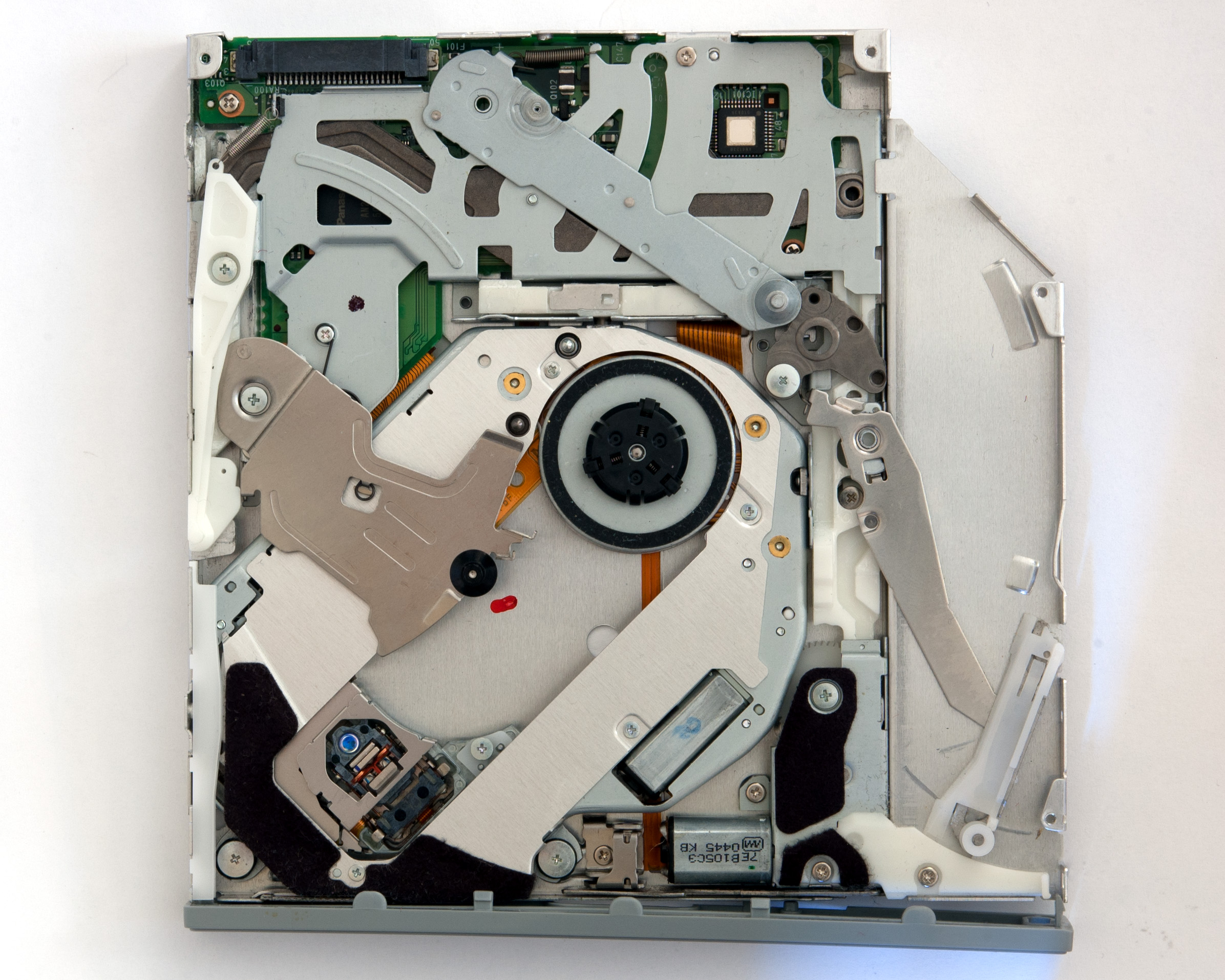 “File:Panasonic UJ-845-C Optical Drive Internals.jpg” by Fletcher6 is licensed under CC BY 4.0.
Optical drives read and sometimes write CDs, DVDs, and Blu-ray discs. While less common in modern computers due to digital downloads and streaming, they’re still used for software installation, media playback, and data backup.
Output Devices
Monitor
 “HP Pavilion v72 17 inch CRT Monitor front view IMG 9419” by Scott A. Miller is licensed under CC BY 3.0.
 “LG전자, 일본 LED LCD TV 시장에 出師表” by LGEPR is licensed under CC BY 2.0.
The monitor displays visual output from the computer. Modern monitors use LCD or LED technology to create clear, bright images. They come in various sizes and resolutions, allowing users to see everything from documents to high-definition videos.
Speakers
Speakers are audio output devices that convert electrical signals from the computer into sound waves that humans can hear. They work by using electromagnetic components to vibrate a diaphragm, which creates sound waves in the air. Computer speakers can range from simple built-in speakers in laptops to complex external sound systems with multiple speakers for enhanced audio experiences. They are crucial for hearing system sounds, playing music, watching videos, participating in video calls, and enjoying multimedia content. Modern speakers can connect via different interfaces like 3.5mm audio jack, USB, or wirelessly through Bluetooth technology.
 “Altec Lansing” by brecro is licensed under CC BY 2.0.
Keyboard
 “keychron k2 mechanical wireless wired Keyboard” by TheBetterDay is licensed under CC BY-ND 2.0.
The keyboard is an input device that allows users to type text and send commands to the computer. Different types of keyboards exist, including mechanical, membrane, and ergonomic designs, each offering different typing experiences.
Mouse
 “Mouse” by icantthinkofanoriginalusername is licensed under CC BY 2.0.
The mouse is a pointing device that allows users to interact with the computer screen, select items, and navigate graphical interfaces. Modern mice can be wired or wireless and come with various features like additional buttons and ergonomic designs.
References
- Stallings, W. (2016). Computer Organization and Architecture. Pearson.
- Tanenbaum, A. S. (2013). Structured Computer Organization. Pearson.
- Patterson, D. A., & Hennessy, J. L. (2018). Computer Organization and Design RISC-V Edition. Morgan Kaufmann.